Welcome to The aCo App
Also referred to as "The App"
The aCo App, your all-in-one business solution, simplifies your workflow. This guide will help you navigate its features and achieve your goals.
- Save time: Manage social media, e-commerce, contracts, and more in one place
- Connect easily: Engage your audience with a unified inbox
- Track success: Gain insights with performance analytics across aCo’s tools
Premium vs. Free Users
Features restricted to premium users, such as company/team task management and creating homework tasks for clients, display an upgrade banner to unlock enhanced functionality.
For free users, ads appear at the top and bottom of every page.
Dashboard
Access powerful tools via the dashboard, explore their capabilities, and find answers to common questions.
The Dashboard is the landing page when you log in to the aCo App, serving as your central hub for managing your business. For first-time users, it displays core onboarding tasks, such as setting up your profile and vendor features. While some tasks are optional, their banners remain until completed. Key sections include:
- Notifications: View real-time updates, alerts, and reminders.
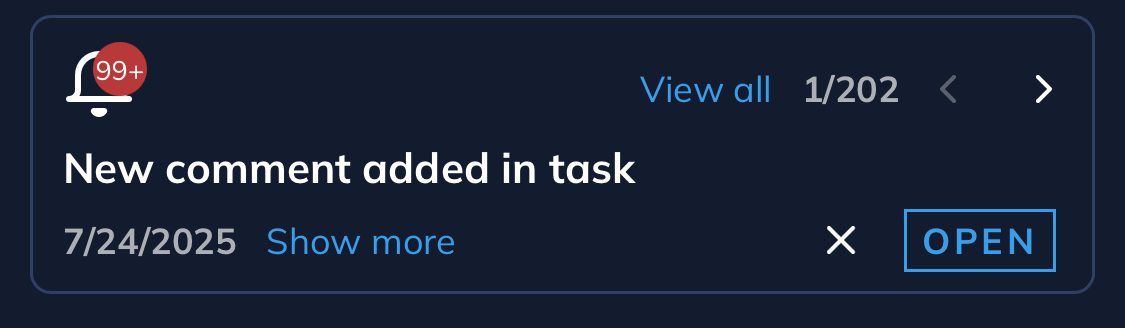
- Tasks: Manage prioritized tasks, including onboarding steps and project deadlines. Create new tasks directly from the Dashboard to stay organized. Task management is free for individual users, but company or team use, as well as creating homework tasks for clients, requires additional setup and a paid plan.

- Favorite Contacts: Access a list of your favorited contacts for quick communication and collaboration.
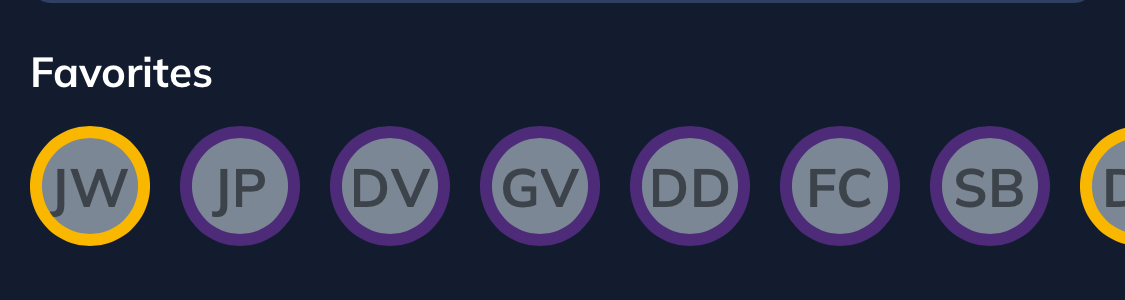
Start exploring the Dashboard to create tasks, connect with key contacts, and streamline your workflow with the aCo App’s powerful tools.

Projects & Tasks
The Tasks and Projects feature in the aCo App enables efficient workload management across multiple areas of the platform.
Location
You can create, track, and prioritize tasks directly from the Dashboard, within Companies, User Profiles, or under the Projects section in the menu.
Free vs. Premium or Enterprise
Individual users can access task management for free, while company or team task management and creating homework tasks for clients require additional setup and a paid plan, with an upgrade banner displayed for these premium features.
Projects
The Projects feature in the aCo App provides a streamlined way to organize and group tasks for efficient business management. You can create projects to structure related tasks, assign teams to collaborate on them, and designate projects to a company, either as a client or the team working on the project. Additionally, you can prioritize projects to focus on what matters most, ensuring clear organization and progress tracking across your workflow.
Active Project
An Active Project in the aCo App is a project currently in progress, with ongoing tasks, team assignments, or requirements being actively managed. It is accessible for updates, collaboration, and tracking within the platform. In contrast, an Archived Project is one that has been completed, paused, or is no longer active, and is stored for reference without ongoing modifications or task management.
Tasks
The Tasks feature in the aCo App is designed to streamline task management and enhance productivity.
Location
Tasks can be created from the following locations:
- Dashboard
- User Profiles
- Within a Project
Status
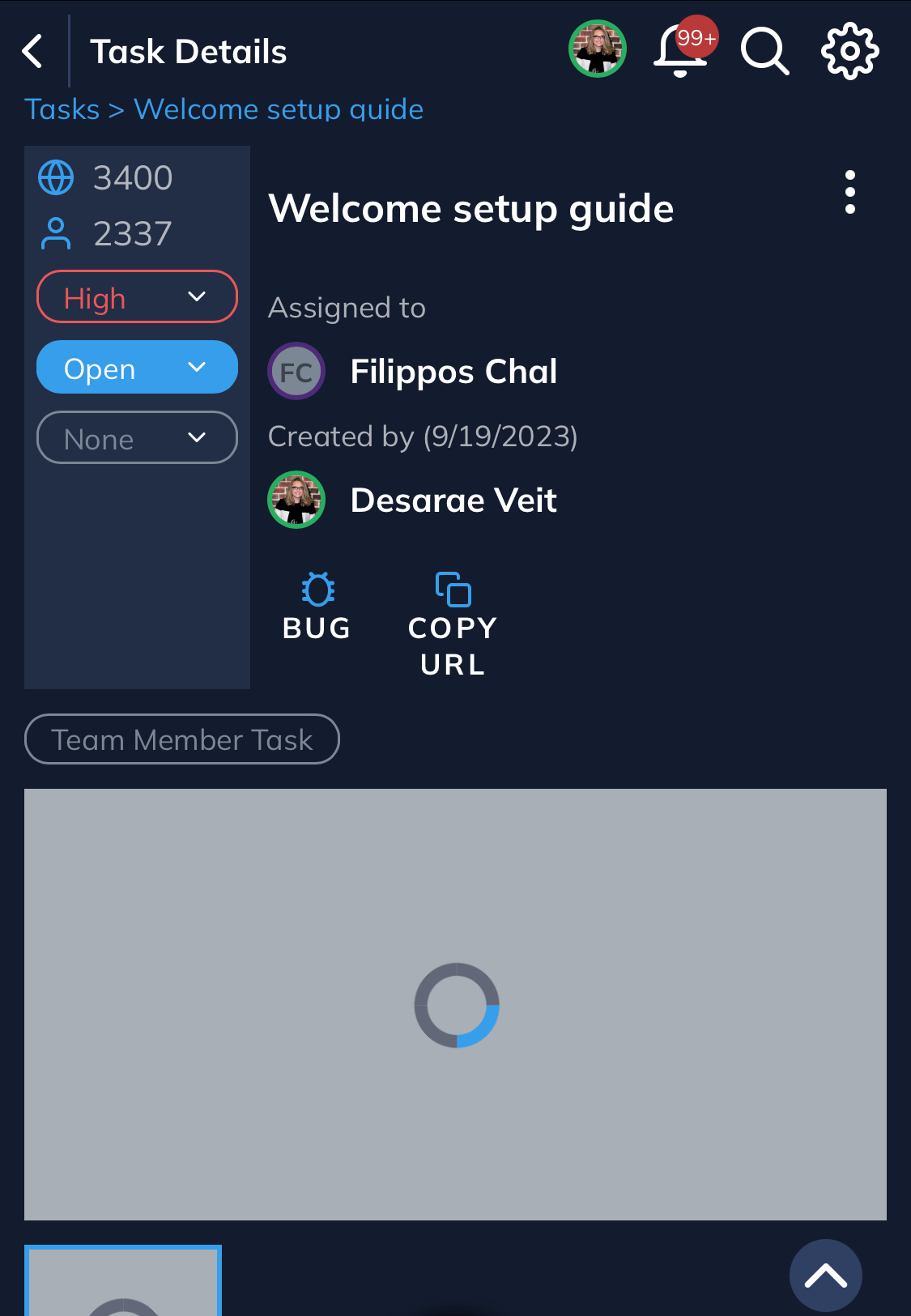
Each task includes one of the following statuses:
- To Do
- In Progress
- In Review
- Approved
- Rejected
- Completed
Approval
The approval workflow for tasks includes the following steps:
- The assigned user can mark a task as Ready for Review
- Internal approval is required
- Client approval is required before the task can be marked as Completed
Priority
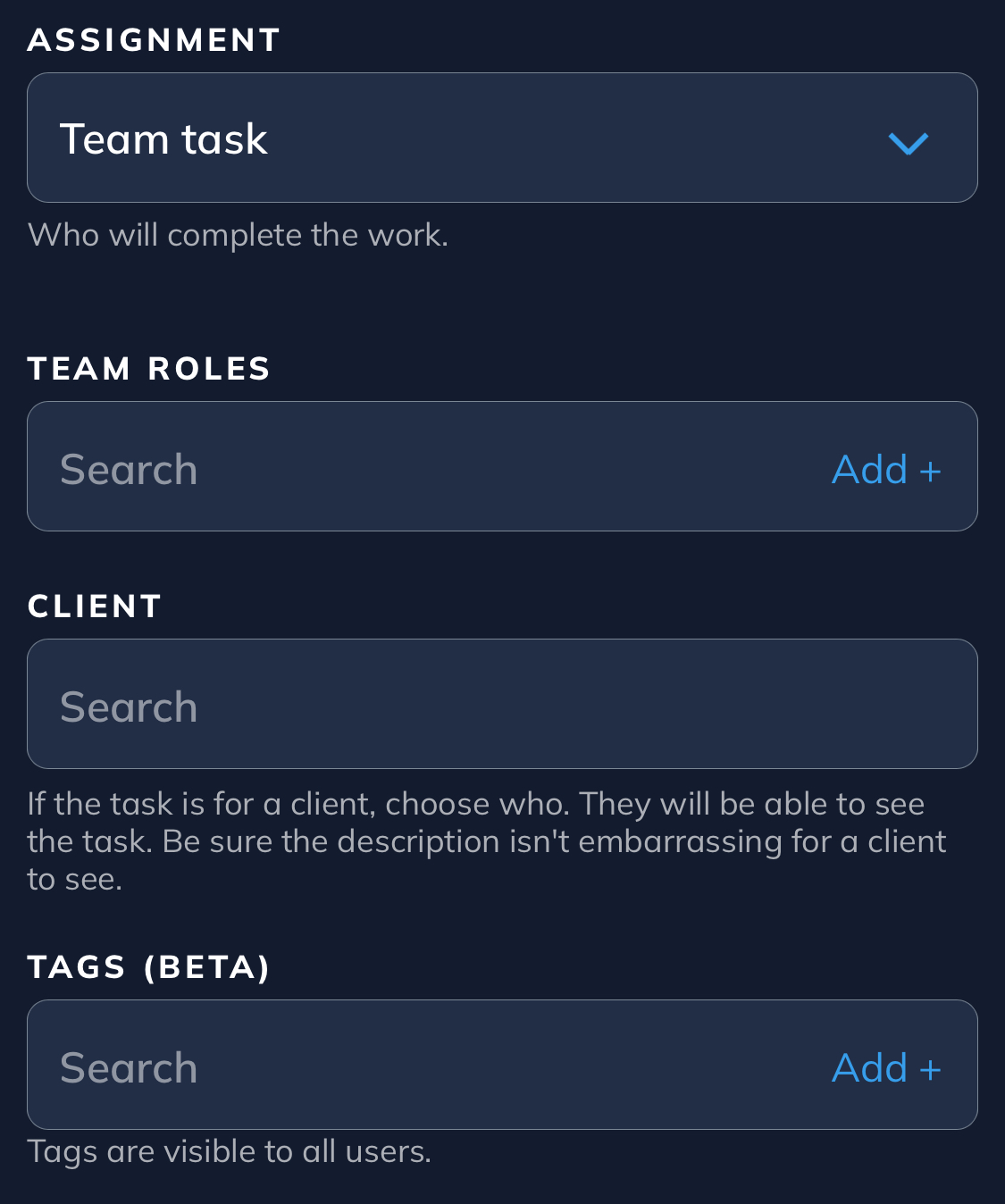
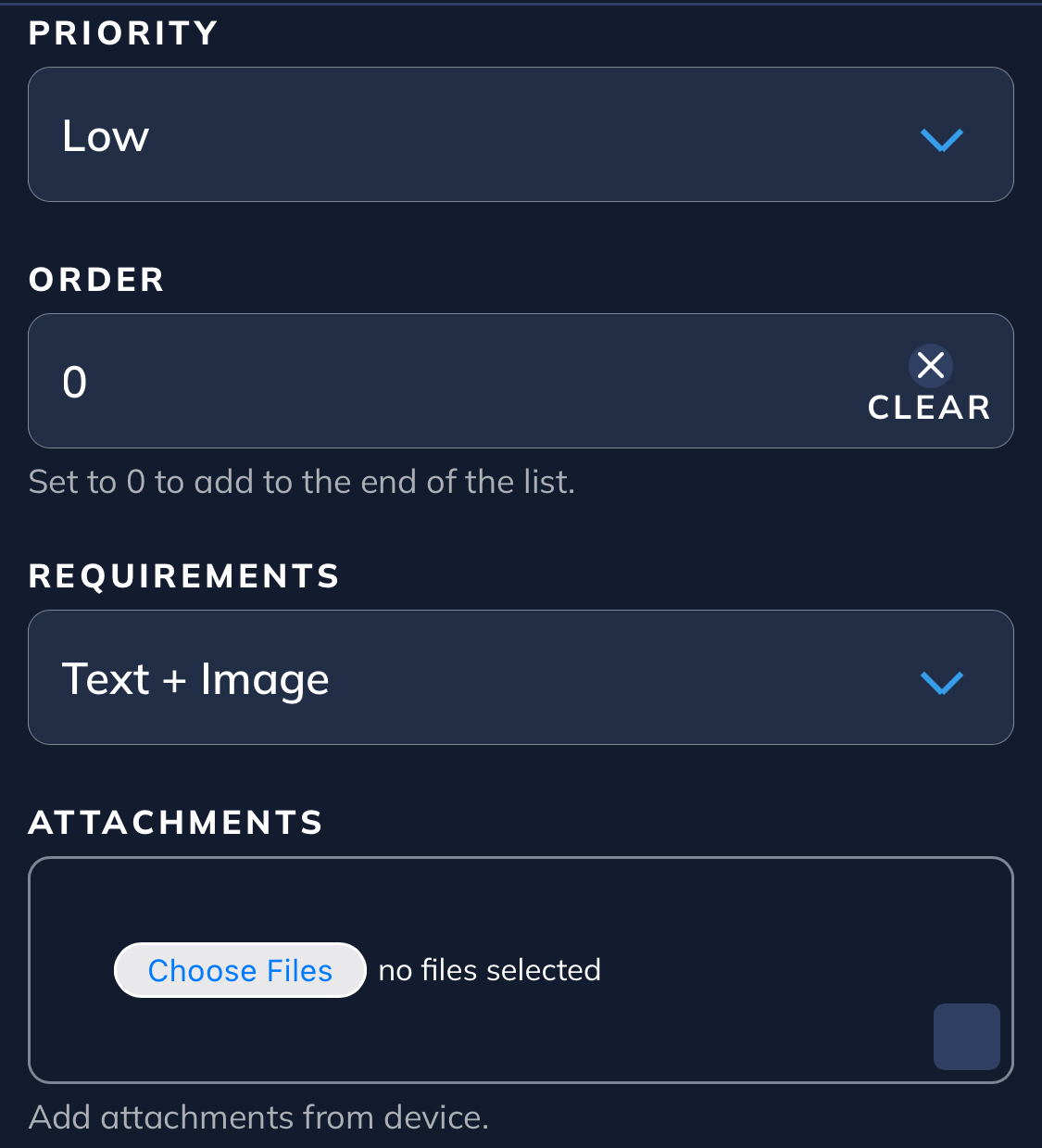
Tasks support prioritization with High, Medium, or Low settings, along with a numerical priority assigned per user and globally for the company.
Details
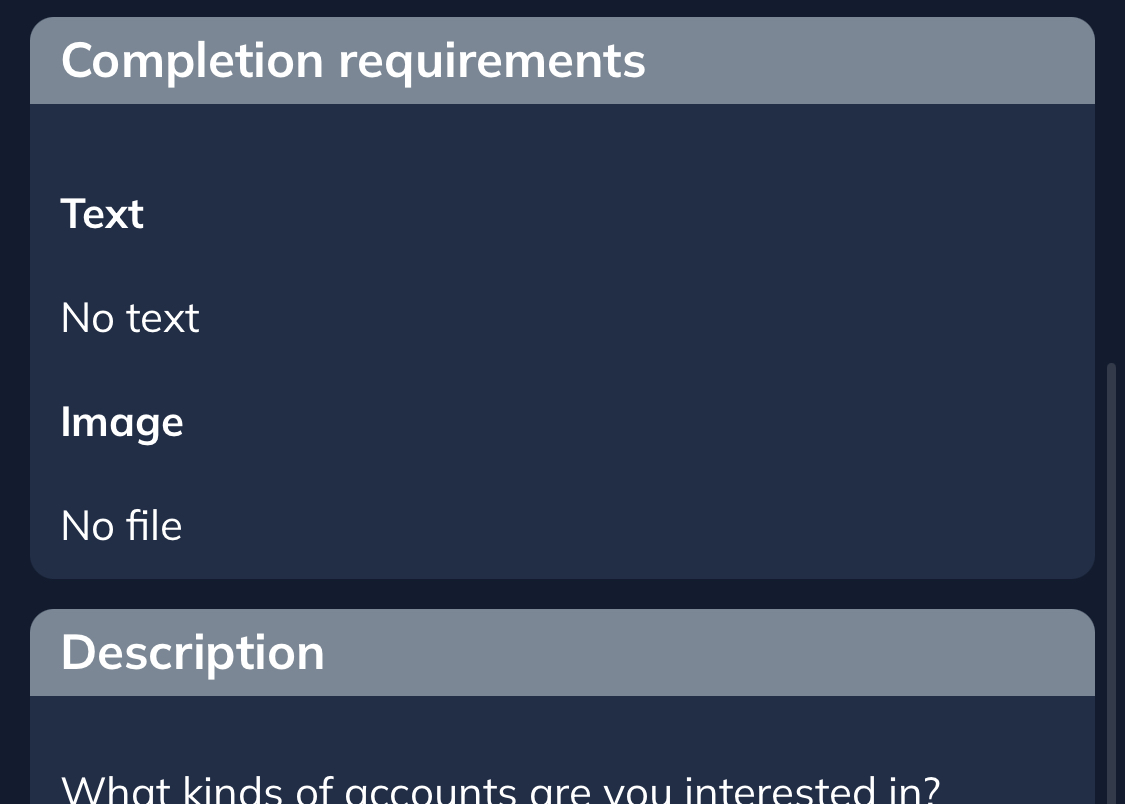
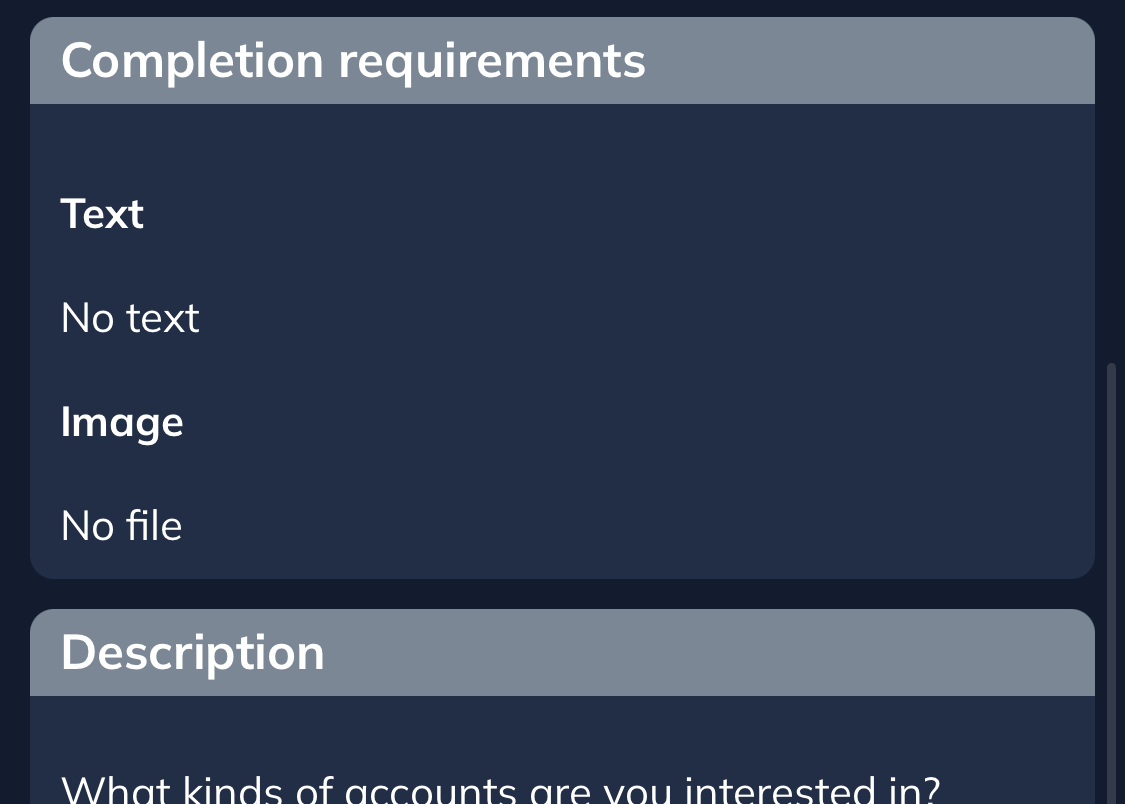
Tasks track essential details, including what needs to be done, who the task is assigned to, who the client is, who created the task, and when it was created. Users can upload media such as images, files, and videos, and include a description field for clarity.
Comments
A comments section facilitates communication among team members.
Quotes and Timesheets
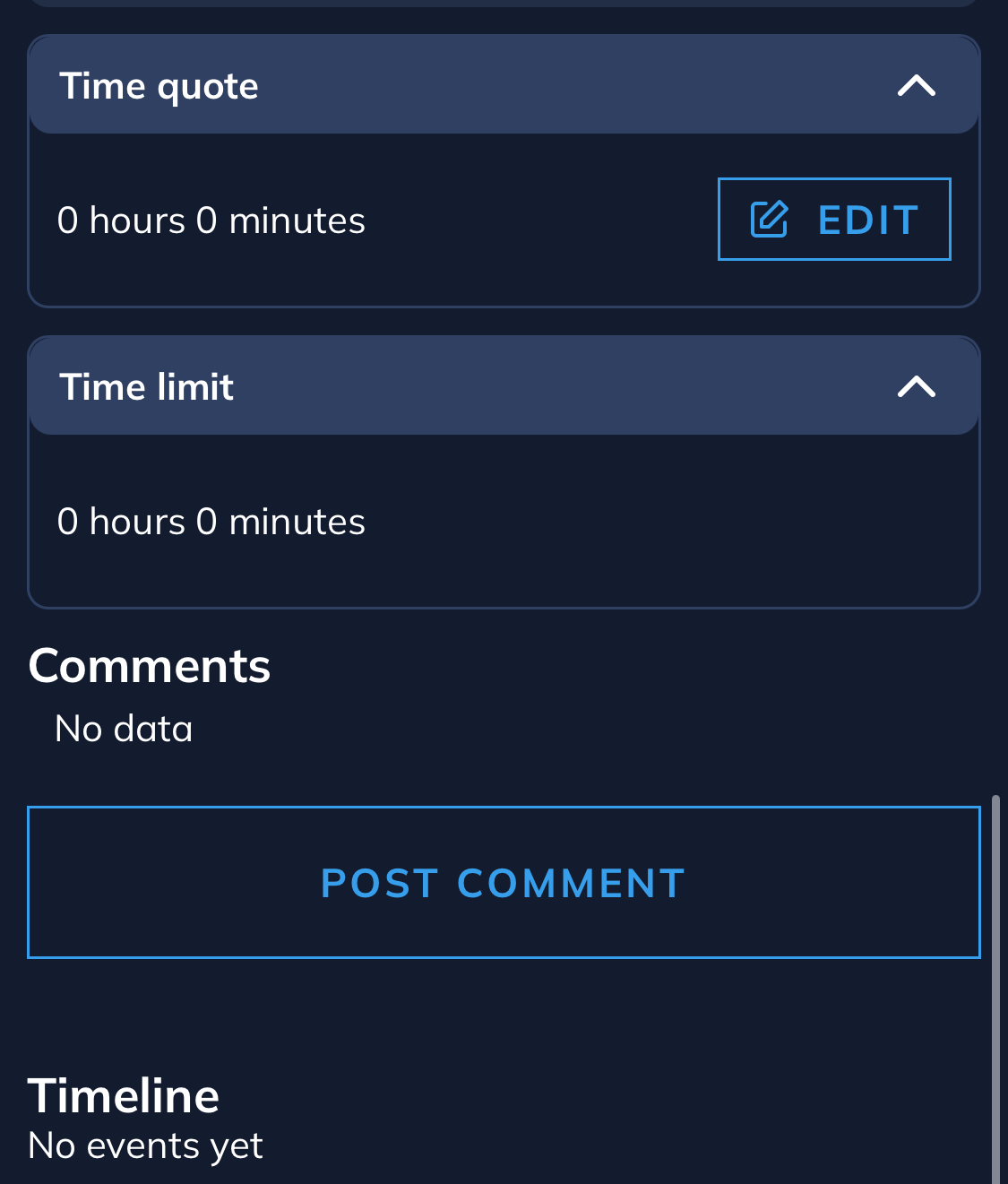
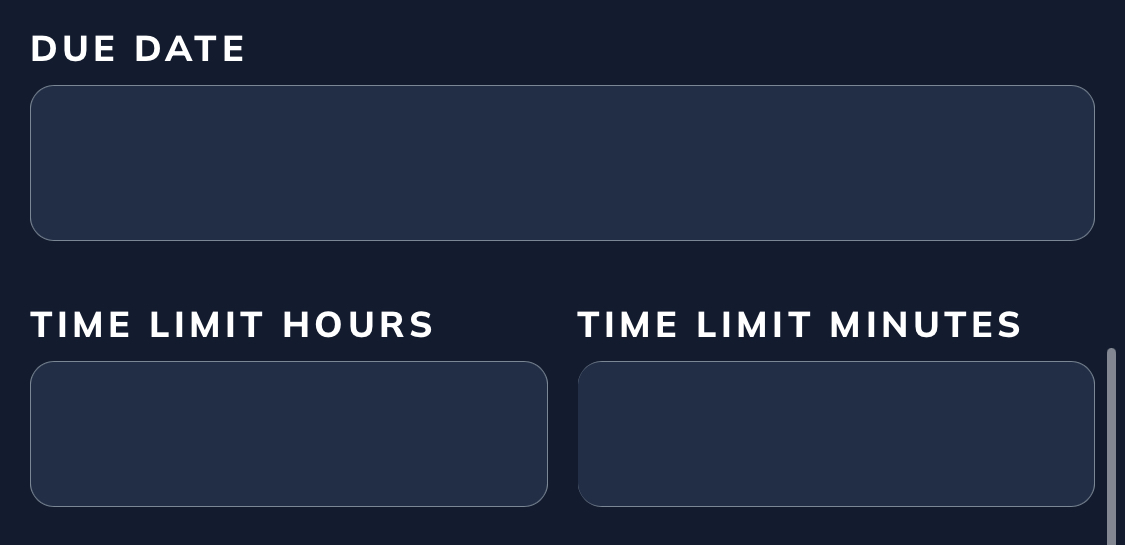
Tasks can track time quotes, set time limits, and include optional due dates to ensure timely completion.
Premium
Features like company or team task management and creating homework tasks for clients require a paid plan, with an upgrade banner displayed for premium access.
Project Requirements
The Project Requirements feature in the aCo App provides a dedicated page to define and detail the specific requirements for a project. This allows users to outline essential information, such as objectives, deliverables, timelines, and resources needed, ensuring clarity and alignment for all team members and stakeholders involved in the project.
Ideas
The Ideas feature in the aCo App provides a list of pages for documenting and detailing future enhancement ideas for projects or the business. Users can capture, organize, and share innovative concepts, ensuring a structured approach to planning and implementing improvements.
Sites
The Sites feature in the aCo App provides a centralized list of websites related to your business or projects. This allows you to organize, access, and manage all relevant website links in one place, ensuring easy reference and streamlined coordination for your team and clients.
Reports
The Reports feature in the aCo App is currently available only to enterprise users. Premium users can access reports upon request for an additional fee, enabling detailed insights into performance metrics, business analytics, and custom data summaries tailored to your needs.
Wholesale Reports
Profit & Loss (P&L) vendor
Client Payments
Inventory
Payouts
Finance
The Finance feature in the aCo App is exclusively available to enterprise users, offering robust tools to manage financial operations. It allows tracking of expenses, generating wholesale reports, reviewing Profit & Loss (P&L) statements, and managing Stripe billing, invoices, subscriptions, donations, and collections. Users can also work with an external collections agency vendor to streamline debt recovery processes, alongside exploring insurance options, all within a centralized platform to ensure seamless financial oversight for your business.
Expenses
The Expenses feature in the aCo App, available exclusively to enterprise users, allows manual entry of expenses for tracking and management. Users can choose to share these expenses with their teams for collaborative oversight or keep them private for individual tracking, ensuring flexible and organized financial monitoring within the platform.
Stripe
Billing
Invoices
Subscriptions
Donations
Collections
Money Insurance
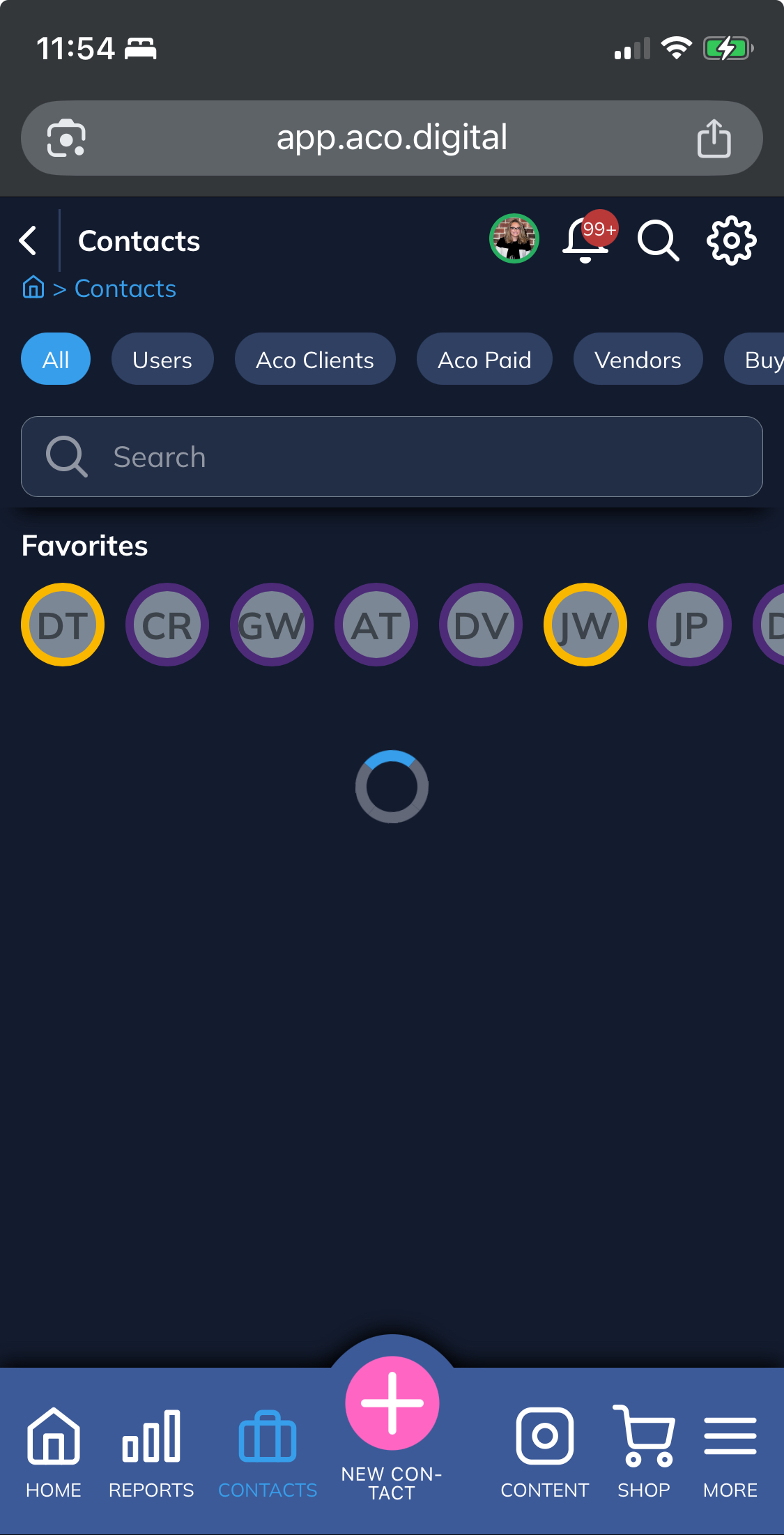
Contacts (CRM)
The Contacts (CRM) feature in the aCo App provides a robust system for managing relationships with individuals, companies, groups, and organizations, helping you nurture leads, serve clients, and collaborate with teams. It is free for individual users, though some advanced features are restricted and require a paid plan, with an upgrade banner displayed for premium access.
Adding Contacts
You can add contacts for companies, groups, organizations, or people directly within the CRM, creating a centralized database for all your business interactions.
Tracking and Categorization
Contacts can be tracked and categorized by type, including friends, family, leads, clients, past clients, app users, and team members. Each contact entry supports detailed tracking under user profiles, including contact information, associated websites, social media profiles, billing details, tasks, notes, and additional customizable meta fields for tailored data management.
Codeless Forms for Data Capture
Utilize codeless forms to automatically collect data from events or RSVPs without requiring webhooks or APIs, simplifying lead capture and ensuring seamless integration of event-related information into your CRM.
Shopify Integration
Shopify buyers are automatically added as contacts to the CRM, syncing purchase data for immediate follow-up and enhanced customer engagement and retention.
Forms
The Forms feature in the aCo App enables users to create customized forms to collect data efficiently, with seamless integration into the CRM system.
Form Creation
Forms can be set up by selecting field or form types and entering titles, allowing for tailored data collection based on your specific needs.
CRM Integration
Data collected through forms can be automatically pulled into the Contacts (CRM) system, streamlining lead capture and contact management without manual entry.
Custom Fields
Creating
custom fields requires additional setup, which may be a premium feature, with an upgrade banner displayed for access to advanced customization options.
Embedding Forms
Forms can be embedded into websites using provided code, making it easy to integrate data collection directly into your sites for enhanced user engagement and lead generation.
Content & Marketing
The Media Library in the aCo App serves as a centralized repository for storing, organizing, and accessing all your business media assets, including images, videos, files, and other digital content uploaded via tasks or forms. This feature enables easy retrieval and reuse across projects, content creation, and marketing efforts, with tagging, search, and categorization tools to keep everything sorted by topic, team, or project for quick access.
Uploading and Management
Upload media directly from tasks, forms, or manually to build your library, supporting formats like images, videos, PDFs, and more, with automatic organization into folders or based on metadata.
Integration and Sharing
Media from the library can be seamlessly attached to posts in Content & Marketing, shared via Chat or Contacts, or embedded in Sites and Pages, ensuring consistent branding and efficient collaboration without redundant uploads.
Search and Organization
Use intelligent search, filters, and pre-set tags to locate files instantly, track usage across projects, and apply updates globally if needed, reducing time spent hunting for assets.
Premium Features
Advanced options like version control, collaborative feedback on media, or automated workflows may require a paid plan for teams, with an upgrade banner displayed for access.
Pages
The Pages feature in the aCo App allows users to create and manage customizable web pages for their business, projects, or marketing needs directly within the platform.
Creation and Customization
Pages can be built by selecting templates or designing from scratch, with options to add text, images, videos, and other media from the Media Library, enabling tailored content for websites, landing pages, or portfolios.
Integration
Pages integrate seamlessly with other features, such as embedding Forms for lead capture, linking to Sites, or pulling in Contact (CRM) data to personalize content, ensuring a cohesive user experience.
Embedding and Sharing
Pages can be embedded into external websites using provided code or shared directly via links, supporting marketing campaigns, event promotions, or client presentations.
Premium Features
Advanced customization, analytics, or team collaboration tools for Pages may require a paid plan, with an upgrade banner displayed for premium access.
Social Media Auto-Posting
Social Media Auto-Posting
The Social Media Auto-Posting feature in the aCo App automates your content distribution by connecting your social media accounts to the platform, where an intelligent algorithm handles posting without the need for manual scheduling.
Connection and Automation
Simply connect your social media profiles, and the algorithm will automatically pull and post relevant content from your app's Blogs, Products, and Services sections, ensuring timely and consistent sharing across platforms.
Content Restriction with Tags
To control when and where content is posted, use tags to restrict visibility—for example, assign a seasonal tag like "December" to specific blog posts, and set the algorithm to only publish those tagged items during that month, preventing off-season distribution.
Premium Access
Advanced tagging and multi-platform automation may require a paid plan for teams, with an upgrade banner displayed for premium features.
Blogs
The Blogs feature in the aCo App allows users to create, edit, and manage blog content directly from the mobile app, with seamless connections to popular platforms for enhanced flexibility.
Connection and Integration
Connect your blog to WordPress or Shopify to sync and manage your content effortlessly from the aCo mobile app. This integration enables real-time updates, drafting posts on the go, and publishing without switching between apps.
Content Management
Draft, schedule, and publish blog posts with built-in tools for adding media from the Media Library, embedding products or services, and optimizing for SEO. Pull in content from Pages or Projects to keep your blogs aligned with business goals.
Premium Access
Advanced integrations, such as automated syncing or multi-platform publishing, may require a paid plan for teams, with an upgrade banner displayed for premium features.
Email Marketing
The Email Marketing feature in the aCo App, currently available as an enterprise-only beta feature, enables automated email campaigns with powerful data integration capabilities.
Automated Data Aggregation
This feature auto-aggregates content from Blogs and Shop, pulling relevant data such as posts, products, or promotions to create dynamic email content without manual input.
Template-Based Emails
Utilize customizable templates to craft professional emails that automatically incorporate aggregated data, ensuring consistent branding and efficient campaign creation tailored to your audience.
Enterprise Access
As an enterprise-only beta feature, access to Email Marketing requires an enterprise plan, with an upgrade banner displayed for non-enterprise users seeking premium access.
SMS
The SMS feature in the aCo App, currently available as an enterprise-only beta feature, enables automated and personalized text messaging campaigns with seamless integration into your business workflows.
Automated Messaging
This feature allows for the creation of SMS campaigns that automatically send notifications, alerts, promotions, or updates to contacts pulled from the CRM, ensuring timely communication without manual effort.
Template-Based Texts
Utilize customizable templates to personalize messages with dynamic data from Blogs, Shop, or Contacts, supporting multimedia like images or links for enhanced engagement.
Enterprise Access
As an enterprise-only beta feature, access to SMS requires an enterprise plan, with an upgrade banner displayed for non-enterprise users seeking premium access.
VOIP
The VoIP feature in the aCo App enables businesses to manage voice communications over the internet, providing a dedicated business number for calls, SMS, and voicemail integration with other platform tools like Contacts (CRM) and Tasks.
Business Number
The business number allows you to select and use a virtual phone number for professional use, supporting features such as call forwarding, voicemail-to-email transcription, and SMS messaging, all accessible via desktop or mobile apps for flexible, remote-friendly operations.
Beta Restricted
As a beta restricted feature not yet available, VoIP access is limited to select users during testing, with an upgrade banner displayed for others; full rollout will expand to premium and enterprise plans upon completion.
Ads Manager
The Ads Manager feature in the aCo App enables users to create, manage, and track advertising campaigns directly within the platform, integrating with tools like Content & Marketing and Contacts (CRM) for targeted promotions.
Campaign Management
Create and customize ad campaigns by selecting audiences, setting budgets, and pulling content from Blogs, Shop, or Pages. Track performance metrics such as clicks, impressions, and conversions to optimize your advertising strategy.
Integration
Ads Manager seamlessly integrates with the Media Library for ad creatives and CRM for audience segmentation, allowing for personalized ads based on contact data or behavior, such as Shopify buyer activity.
Beta Restricted
As a beta restricted feature not yet available, Ads Manager access is limited to select users during testing, with an upgrade banner displayed for others; full rollout will expand to premium and enterprise plans upon completion.
Shop
The Shop feature in the aCo App serves as a comprehensive e-commerce management tool, enabling users to handle all aspects of online sales directly within the platform.
Inventory Management
Track and update inventory levels in real-time, supporting both wholesale and retail operations to ensure accurate stock visibility and prevent overselling across channels.
Pricing and Dropshipping
Set dynamic wholesale and retail pricing, with built-in support for dropshipping integrations that automate fulfillment from suppliers, reducing manual handling and shipping costs.
Rewards and Promotions
Implement customer rewards programs, such as loyalty points or discounts, to encourage repeat business, alongside targeted promotions and ads to drive sales.
Social Media and Excerpts
Generate and share product excerpts or previews optimized for social media, with auto-posting capabilities to promote items directly from your Shop to connected platforms.
Buyers and Orders
Manage buyer profiles synced from Contacts (CRM), process orders with secure checkout, and track fulfillment status, including returns and customer support queries.
Platform Syncs
Seamlessly sync your Shop data with external platforms like Shopify for advanced storefronts, WordPress (via WooCommerce) for content-driven sites, and other e-commerce solutions such as BigCommerce or Ecwid for multichannel selling, ensuring consistent inventory, orders, and customer data across ecosystems.
The Shopping Lists feature in the aCo App allows users to create and manage lists of items to purchase, streamlining procurement for business or project needs.
List Creation and Tracking
Easily build shopping lists by adding items manually or pulling products directly from the Shop inventory. Track quantities, priorities, and statuses to ensure timely purchasing and budget alignment.
Integration
Shopping Lists integrate with the Shop feature to sync with inventory data and with Contacts (CRM) to assign lists to team members or clients for collaborative purchasing.
Beta Restricted
As a beta restricted feature not yet available, Shopping Lists access is limited to select users during testing, with an upgrade banner displayed for others; full rollout will expand to premium and enterprise plans upon completion.
Rewards
The Rewards feature in the aCo App enables businesses to create and manage customer loyalty programs to encourage repeat purchases and enhance engagement.
Program Creation
Set up rewards programs with customizable options like points systems, discounts, or exclusive offers, tailored to your business goals and customer preferences.
Integration
Rewards integrate with the Shop feature to track customer purchases and apply rewards automatically, and with Contacts (CRM) to personalize offers based on customer data.
Beta Restricted
As a beta restricted feature not yet available, Rewards access is limited to select users during testing, with an upgrade banner displayed for others; full rollout will expand to premium and enterprise plans upon completion.
Warranties
The Warranties feature in the aCo App enables businesses to track and manage customer warranties efficiently, ensuring compliance, timely claims processing, and enhanced customer satisfaction through automated oversight.
Warranty Creation and Tracking
Create warranty records linked to customer purchases from the Shop, specifying details like coverage periods, terms, and conditions. Track expiration dates, claim statuses, and associated costs in real-time, with automated alerts for renewals or upcoming expirations to prevent lapses.
Customer Integration
Warranties integrate seamlessly with Contacts (CRM) to associate records with individual customers or buyers, allowing for personalized notifications, claim submissions via forms, and history tracking for repeat interactions or disputes.
Claims Management
Handle warranty claims by approving or denying requests, documenting repairs or replacements, and integrating with Finance for cost tracking. This supports root cause analysis and reporting to identify product issues and reduce future claims.
Beta Restricted
As a beta restricted feature not yet available, Warranties access is limited to select users during testing, with an upgrade banner displayed for others; full rollout will expand to premium and enterprise plans upon completion.
Services
The Services feature in the aCo App, part of the Shop module, enables businesses to offer and manage service-based offerings alongside physical products, enhancing the e-commerce experience with professional service management.
Service Creation and Management
Create service listings with detailed descriptions, pricing, and availability, such as consultations, repairs, or custom work. Manage bookings, cancellations, and rescheduling directly within the platform, with tools to set service durations and prerequisites.
Integration
Services integrate with Contacts (CRM) to link bookings to customer profiles, with Shop for unified order tracking, and with Forms for collecting client requirements or service agreements, ensuring a seamless workflow.
Customer Engagement
Automate confirmations, reminders, and follow-ups via email or SMS, with options to upsell related products or services from the Shop, leveraging data from Media Library for promotional visuals.
Beta Restricted
As a beta restricted feature not yet available, Services access is limited to select users during testing, with an upgrade banner displayed for others; full rollout will expand to premium and enterprise plans upon completion.
FAQs
Password Vault
The Password Vault feature in the aCo App is a secure, free tool for individual users to store and manage sensitive credentials, accessible directly from the Dashboard or User Profiles for quick access.
Adding Passwords
Easily add new passwords by entering details such as website URLs, usernames, notes, and secure notes, with options for generating strong, unique passwords automatically to enhance security.
Searching
Utilize a robust search function to quickly find stored passwords by keyword, category, or tag, ensuring effortless retrieval even with a growing vault.
Sharing
Securely share individual passwords or entire vaults with trusted contacts, teams, or family members via encrypted links or direct access, with customizable permissions to control view, edit, or temporary access levels.
Free Access
As a free feature, Password Vault is available to all users without restrictions, though advanced sharing options for teams may display an upgrade banner for premium plans.
Chat
The Chat feature in the aCo App provides a secure, in-platform messaging system for seamless communication between users, teams, and clients, accessible directly from the Dashboard or User Profiles.
Messaging Capabilities
Send and receive text messages, share media from the Media Library, and attach files or links to tasks, projects, or contacts, with support for group chats and threaded replies for organized discussions.
Integration
Chat integrates with Contacts (CRM) to initiate conversations with saved contacts, Tasks to discuss specific assignments, and Projects for team collaboration, ensuring all relevant context is readily available.
Notifications and Search
Receive real-time notifications for new messages and use the search function to locate past conversations or shared files quickly, streamlining communication workflows.
Premium Access
While basic chat is free for individual users, advanced features like group chat moderation or automated message workflows for teams may require a paid plan, with an upgrade banner displayed for premium access.
Companies
Contracts Automation
The Contracts Automation feature in the aCo App streamlines the creation, distribution, and execution of business contracts by integrating secure emailing and electronic document signing capabilities directly into your workflow.
Contract Creation and Templates
Build contracts using reusable templates or import from cloud storage, with options to customize clauses, add fields, and incorporate data from Contacts (CRM) or Projects for personalized agreements.
Emailing and Distribution
Send contracts via automated email workflows to one or multiple signers, with customizable signing orders, attachments from the Media Library, and real-time notifications for views, progress, or completions.
Electronic Signing
Enable legally binding e-signatures from any device, supporting features like multi-party routing, in-person collection, or shareable links, with audit trails to verify access, edits, and signer identities for compliance.
Integration and Automation
Contracts integrate with Tasks for follow-up assignments, Chat for discussions, and Finance for payment terms, while automated reminders and approval workflows reduce manual chasing and speed up execution.
Premium Access
Advanced automation, such as AI-powered reviews or multi-channel delivery (e.g., SMS or WhatsApp), may require a paid plan for teams, with an upgrade banner displayed for premium features.
Team Handbook
The Team Handbook feature in the aCo App, exclusively available to enterprise users, provides a centralized digital resource for creating, storing, and sharing company guidelines, policies, and procedures.
Handbook Creation and Management
Easily create and update team handbooks with customizable templates, incorporating text, images, and files from the Media Library to detail workflows, onboarding processes, or compliance requirements.
Access and Sharing
Share handbooks securely with team members or specific groups via Contacts (CRM), with role-based access controls to ensure only authorized users can view or edit content.
Integration
Integrate with Tasks to assign handbook-related training or compliance actions, and with Chat for discussions on updates or clarifications, ensuring seamless alignment across teams.
Enterprise Access
As an enterprise-only feature, Team Handbook access requires an enterprise plan, with an upgrade banner displayed for non-enterprise users seeking premium access.
Training Modules
The Training Modules feature in the aCo App, part of the Learning Management System (LMS), enables businesses to create, manage, and deliver training content to teams or clients, fostering skill development and compliance.
Module Creation and Management
Build training modules with customizable content, including videos, documents, and quizzes from the Media Library, with tools to structure courses, set learning paths, and track progress.
Access and Availability
Some training content is available for free to all users, offering basic resources without restrictions. Full training modules, however, are exclusive to enterprise users and require additional setup fees for customization and deployment.
Integration
Modules integrate with Tasks for assigning training-related activities, Contacts (CRM) for tracking learner progress, and Team Handbooks for aligning with company policies, ensuring a cohesive training experience.
Enterprise Access
As an enterprise-only feature with extra setup fees, Training Modules require an enterprise plan, with an upgrade banner displayed for non-enterprise users seeking premium access.
Timesheets
The Timesheets feature in the aCo App enables users to accurately track billable time spent on tasks, projects, or clients, facilitating precise invoicing and resource allocation.
Time Tracking
Log hours manually or via timers linked to Tasks or Projects, categorizing time as billable or non-billable, with options to note breaks, overtime, or specific activities for detailed audits.
Payroll Approval
Managers can review, approve, or reject submitted timesheets through a built-in workflow, locking entries once approved to ensure accuracy before payroll processing and integration with Finance tools.
Integration
Timesheets sync seamlessly with Contacts (CRM) for client billing, Projects for task-specific tracking, and external payroll systems like QuickBooks or ADP for automated exports, reducing manual data entry.
Premium Access
As a premium-only feature requiring additional setup, Timesheets access is restricted to paid plans with extra configuration fees, with an upgrade banner displayed for non-premium users.
Design System
The Design System feature in the aCo App, exclusively available to enterprise users with an additional designer addon license, serves as a centralized repository for maintaining consistent visual and structural guidelines tailored to individual companies or clients, ensuring branded content creation across Pages, Blogs, Social Media, and other marketing tools.
Company-Specific Customization
For your own company, define a master design system with shared elements like color palettes, typography rules, and layout templates, applied automatically to internal content to uphold brand integrity without manual adjustments.
Client-Specific Design Systems
Create dedicated design systems per client, incorporating their branding—such as custom color schemes, logos from the Media Library, and naming conventions—to generate client-ready assets, pages, or posts that align precisely with their identity.
Components and Repositories
Build reusable UI components (e.g., buttons, cards, forms) stored in accessible repositories, which can be version-controlled and pulled into projects or tasks, promoting efficiency and reducing design inconsistencies.
Naming Conventions
Establish standardized naming conventions for assets, colors, and components within each design system, facilitating easy search, collaboration via Chat or Comments, and scalability for teams working on multiple client accounts.
Integration and Application
Design systems integrate with Content & Marketing tools for auto-application during content creation, pulling from Projects or Contacts (CRM) to contextualize elements, and support export to external platforms like Shopify or WordPress for broader use.
Enterprise Access
As an enterprise-only feature requiring an extra designer addon license for specialized design tools and multi-user access, the Design System requires an enterprise plan, with an upgrade banner displayed for non-enterprise users seeking premium access.
Color Palettes
The Color Palettes feature, part of the Design System in the aCo App, is exclusively available to enterprise users with an additional designer addon license. It enables the creation and management of standardized color schemes to ensure consistent branding across content for companies or clients.
Creation and Customization
Define custom color palettes with precise HEX, RGB, or CMYK values tailored to your company’s brand or specific client identities, storing them within the Design System for easy access and application.
Application
Apply color palettes automatically to Pages, Blogs, Social Media posts, or other content created via Content & Marketing tools, ensuring visual consistency without manual adjustments.
Integration
Color palettes integrate with Components and Repositories in the Design System, linking to assets like buttons or forms, and sync with Media Library for use in visuals, supporting seamless branding across Projects or client deliverables.
Enterprise Access
As part of the enterprise-only Design System requiring an extra designer addon license, Color Palettes access is restricted to enterprise plans, with an upgrade banner displayed for non-enterprise users seeking premium access.
Naming Conventions
The Naming Conventions feature, part of the Design System in the aCo App, is exclusively available to enterprise users with an additional designer addon license. It provides a standardized framework for naming assets, components, and content to ensure clarity and consistency across branding efforts for companies or clients.
Creation and Standardization
Establish clear naming rules for design elements like files, components, or colors, using structured formats (e.g., prefixes, categories, or versioning) to streamline identification and maintain organization within the Design System.
Application
Apply naming conventions automatically to assets in the Media Library, Components, or Repositories, ensuring uniformity across Pages, Blogs, or Social Media content created via Content & Marketing tools.
Integration
Naming conventions integrate with other Design System features like Color Palettes and Components, as well as Projects and Contacts (CRM), to support scalable collaboration and easy asset retrieval for teams working on multiple client accounts.
Enterprise Access
As part of the enterprise-only Design System requiring an extra designer addon license, Naming Conventions access is restricted to enterprise plans, with an upgrade banner displayed for non-enterprise users seeking premium access.
Components
The Components Library, part of the Design System in the aCo App, is exclusively available to enterprise users with an additional designer addon license. It serves as a centralized repository for reusable UI components to ensure consistent design across content for companies or clients.
Creation and Management
Create and store reusable components such as buttons, forms, cards, or headers with predefined styles, behaviors, and accessibility settings, tailored to your company’s brand or specific client requirements.
Application
Apply components directly to Pages, Blogs, or Social Media content via Content & Marketing tools, enabling rapid content creation with consistent design without starting from scratch.
Integration
The Components Library integrates with Color Palettes, Naming Conventions, and Repositories within the Design System, as well as the Media Library for asset inclusion, and syncs with Projects for streamlined use in client deliverables or team workflows.
Enterprise Access
As part of the enterprise-only Design System requiring an extra designer addon license, the Components Library is restricted to enterprise plans, with an upgrade banner displayed for non-enterprise users seeking premium access.
Repositories
The Repository feature, part of the Design System in the aCo App, is exclusively available to enterprise users with an additional designer addon license. It serves as a centralized storage system for organizing and managing design assets, ensuring easy access and consistent use across company or client projects.
Asset Storage and Organization
Store design assets like UI components, templates, and media files in a structured repository, with support for versioning, categorization, and metadata tagging to streamline retrieval and collaboration.
Application
Access and apply repository assets directly to Pages, Blogs, or Social Media content via Content & Marketing tools, enabling rapid, consistent content creation aligned with brand or client standards.
Integration
The Repository integrates with other Design System features like Color Palettes, Naming Conventions, and Components Library, as well as the Media Library and Projects, to support seamless asset use in team workflows or client deliverables.
Enterprise Access
As part of the enterprise-only Design System requiring an extra designer addon license, Repository access is restricted to enterprise plans, with an upgrade banner displayed for non-enterprise users seeking premium access.
Directory
The Directory feature in the aCo App is a free resource providing a searchable, centralized listing of businesses and people connected to your network, projects, or industry, enabling quick discovery and collaboration opportunities.
Listing Management
Add and organize entries for businesses, companies, organizations, or individuals, pulling data from Contacts (CRM) to automatically populate details like names, addresses, contact information, and affiliations, with options to verify and update listings for accuracy.
Search and Discovery
Utilize advanced search filters by industry, location, role, or keywords to browse listings, view profiles with linked Sites, social media, or portfolios, and generate leads or partnerships directly from the directory.
Integration
The Directory integrates with Contacts (CRM) for seamless profile syncing, Projects for assigning collaborators, and Companies for grouping business entities, supporting features like exporting lists or embedding into Pages for public-facing directories.
Free Access
As a free resource, the Directory is fully accessible to all users without restrictions, though advanced features like bulk imports or enhanced analytics may display an upgrade banner for premium plans.
Portfolios
The Case Study Templates feature, part of the Portfolio in the aCo App, is a premium resource that provides customizable, professional templates to create compelling case studies showcasing business projects, client successes, or design work, enhancing visibility within Directory listings.
Template Creation and Customization
Access a library of ready-to-use templates for case studies, including sections for project overviews, challenges, solutions, results, and visuals. Customize with data from Projects, Media Library, or Contacts (CRM), incorporating metrics, images, and narratives to highlight achievements.
Application and Showcase
Integrate case studies into Portfolio pages for easy sharing via links or embedding in Sites and Pages, making them discoverable in Directory searches to attract potential clients, partners, or collaborators.
Integration
Case studies pull content from Blogs, Shop outcomes, or Tasks for authentic storytelling, and support export to formats like PDF or presentations for external use.
Premium Access
As a premium feature, Case Study Templates require a paid plan, with an upgrade banner displayed for non-premium users seeking access.
Job Board
The Job Board feature in the aCo App is a beta restricted feature, serving as a centralized platform for posting, browsing, and applying to job opportunities, integrated with your business tools to facilitate hiring and talent discovery.
Job Posting and Management
Employers can create job listings with details like descriptions, requirements, salary ranges, and locations, pulling in data from Companies or Projects for context. Manage postings by editing, renewing, or promoting them to reach wider audiences.
Searching and Applications
Job seekers can search listings by keywords, industry, location, or filters, viewing integrated profiles from Contacts (CRM) or Portfolios. Apply directly through the platform, with resumes uploaded or linked from User Profiles, and track application status via notifications.
Integration
The Job Board syncs with Directory for broader networking, Contacts (CRM) for applicant tracking, and Tasks for assigning follow-up actions, enabling seamless collaboration between recruiters and candidates.
Beta Restricted
As a beta restricted feature not yet available, Job Board access is limited to select users during testing, with an upgrade banner displayed for others; full rollout will expand to premium and enterprise plans upon completion.
Refer a Friend
The Refer a Friend affiliate program in the aCo App enables users to share a unique referral link with friends, contacts, or networks to promote the platform and grow the community. Every user receives their personalized referral link upon signup, which they can share via email, social media, or directly through the app for easy distribution.
Tracking Referrals
Monitor your referrals in real-time via a dedicated dashboard section, including details on who has clicked the link, signed up, and completed key actions like profile setup or first task creation, with analytics on potential earnings and conversion rates.
Payouts
Currently, payouts are restricted to partners with signed contracts, ensuring compliance and dedicated collaboration. Once a contract is in place, eligible referrals qualify for commissions based on the referred user's activity, such as upgrades to premium plans or enterprise features.
Free Access
As a free resource, the Refer a Friend program is available to all users without restrictions, though contract-based payouts for advanced affiliate benefits may display an upgrade banner for those seeking formal partnerships.
Resource Library
Health
Private
Travel
Restricted access
List of tools
Calendar
The Calendar feature in the aCo App serves as a comprehensive scheduling tool for adding and managing events, personal appointments, and team commitments, providing a centralized view of your time to enhance productivity and coordination.
Event and Appointment Creation
Easily add events or personal appointments by selecting dates, times, and durations, with options to include details like titles, descriptions, locations (virtual or physical), and recurring patterns to automate ongoing schedules.
Viewing and Navigation
Access a customizable calendar view in daily, weekly, monthly, or agenda formats, with color-coding for categories like work, personal, or client meetings, and search functionality to quickly locate past or upcoming items.
Reminders and Notifications
Set automated reminders via email, in-app alerts, or push notifications to ensure you stay on track, with adjustable timing to fit your preferences for timely preparation.
Integration
The Calendar integrates with Tasks to link appointments to related assignments, Contacts (CRM) to invite participants or sync contact details, and Projects for aligning schedules with deadlines, supporting seamless sharing and real-time updates across teams.
Premium Access
Advanced features, such as team-wide sharing, resource booking conflicts, or external syncs, may require a paid plan, with an upgrade banner displayed for premium access. Beta only feature.
Events
The Events feature in the aCo App provides a dynamic calendar list for discovering, managing, and promoting events, serving as a centralized hub for organizing and tracking both business and personal gatherings.
Event Creation and Management
Create events with detailed information like titles, descriptions, dates, times, locations (virtual or physical), and RSVP requirements, using templates or pulling data from Projects or Contacts (CRM) to streamline setup.
Event Listing and Discovery
Browse a comprehensive list of events in a customizable calendar view (daily, weekly, monthly, or agenda), with filters for categories, locations, or keywords to find relevant gatherings, and options to share events via links or Social Media Auto-Posting.
Integration
Events integrate with Forms for RSVP collection, Calendar for scheduling, and Contacts (CRM) for attendee tracking, with options to assign follow-up Tasks or link to Projects for seamless coordination.
Premium Access
Advanced features, such as public event promotion or attendee analytics, may require a paid plan, with an upgrade banner displayed for premium access. Beta only feature.
Rules & Legal
Understand key terms.
 Login
Login Export XLSX
 Share
Share Copy URL